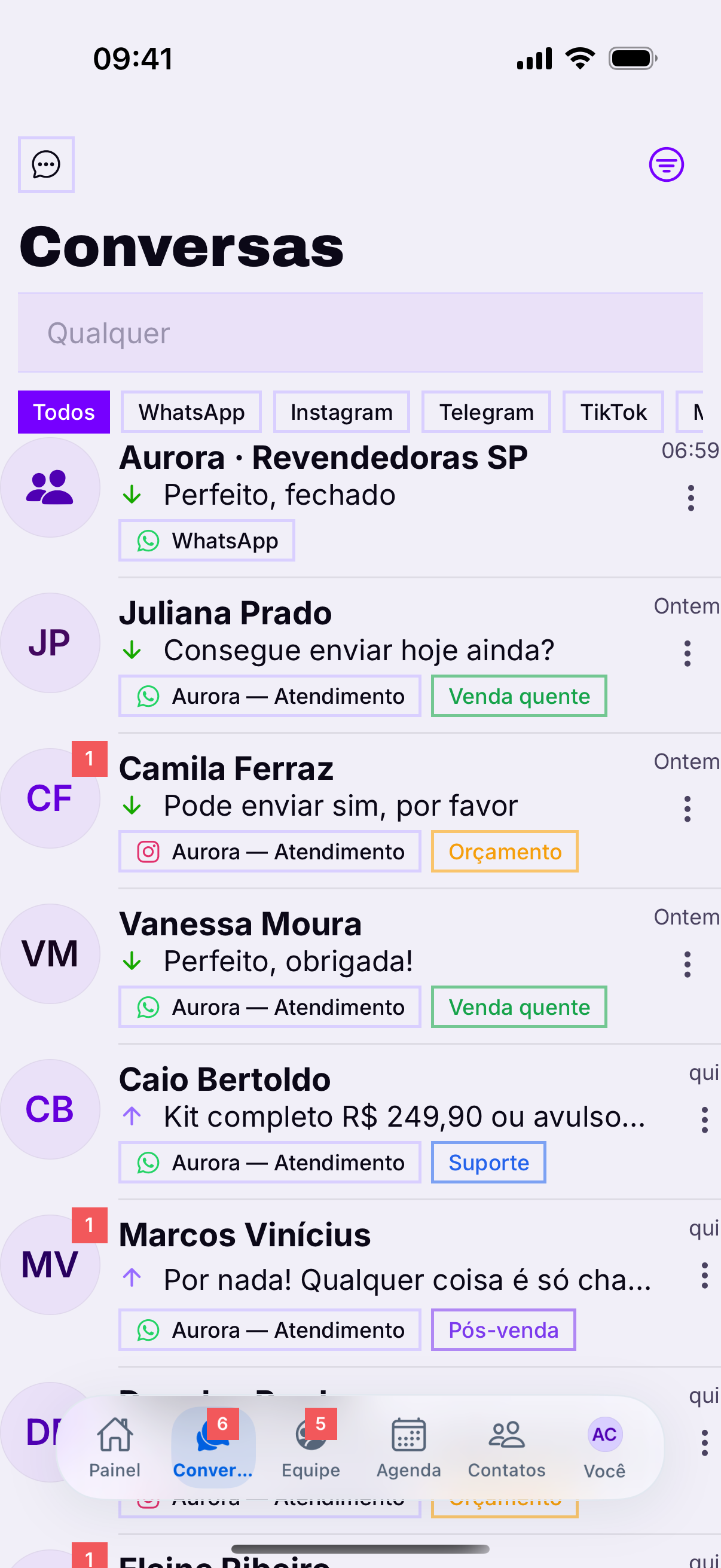
WhatsApp groups appear in a tab of their own. The split exists because a group is handled differently: the reply is public and whoever wrote is not the owner of the conversation.
Who spoke
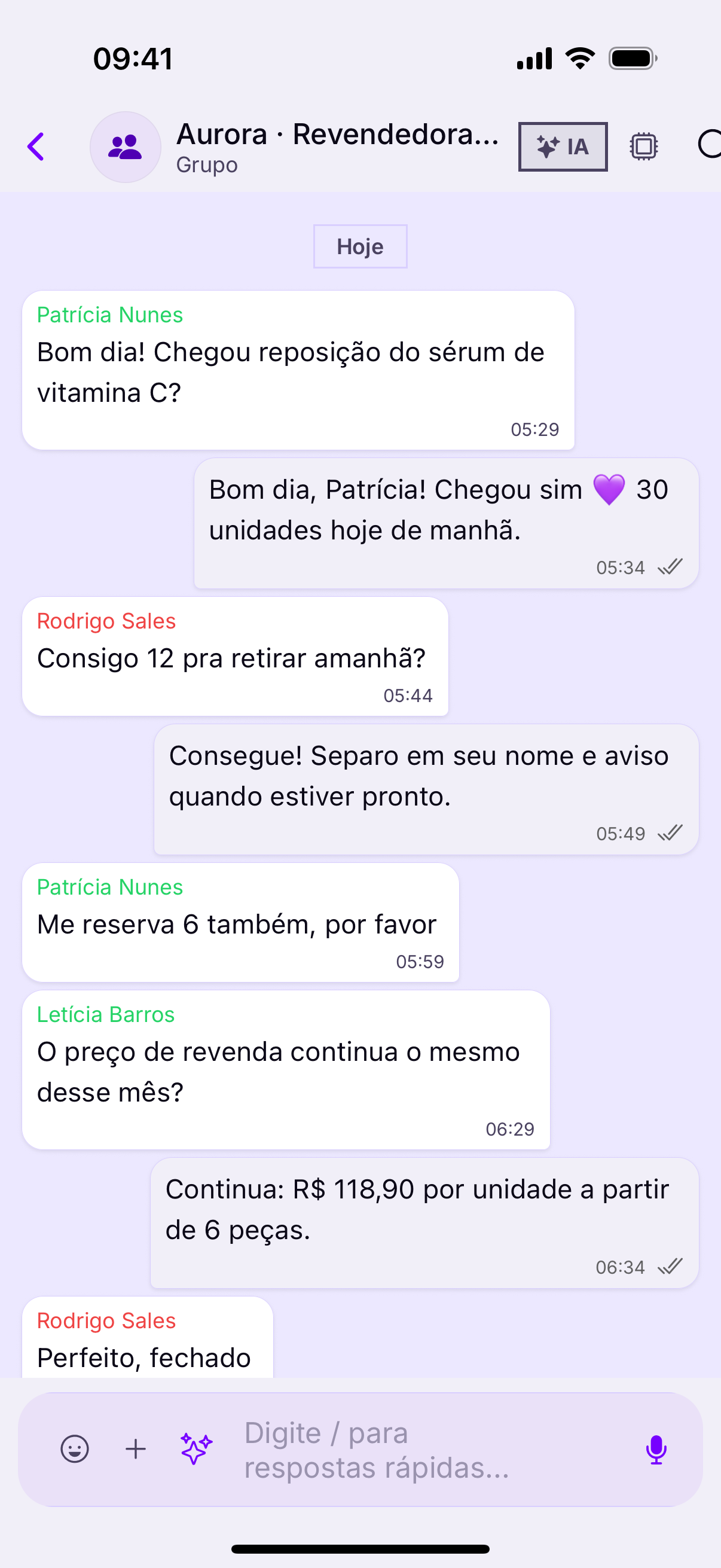
Each message shows the participant's name above the text — information a one-to-one conversation does not need. In a busy group, that is what stops you answering the wrong person.
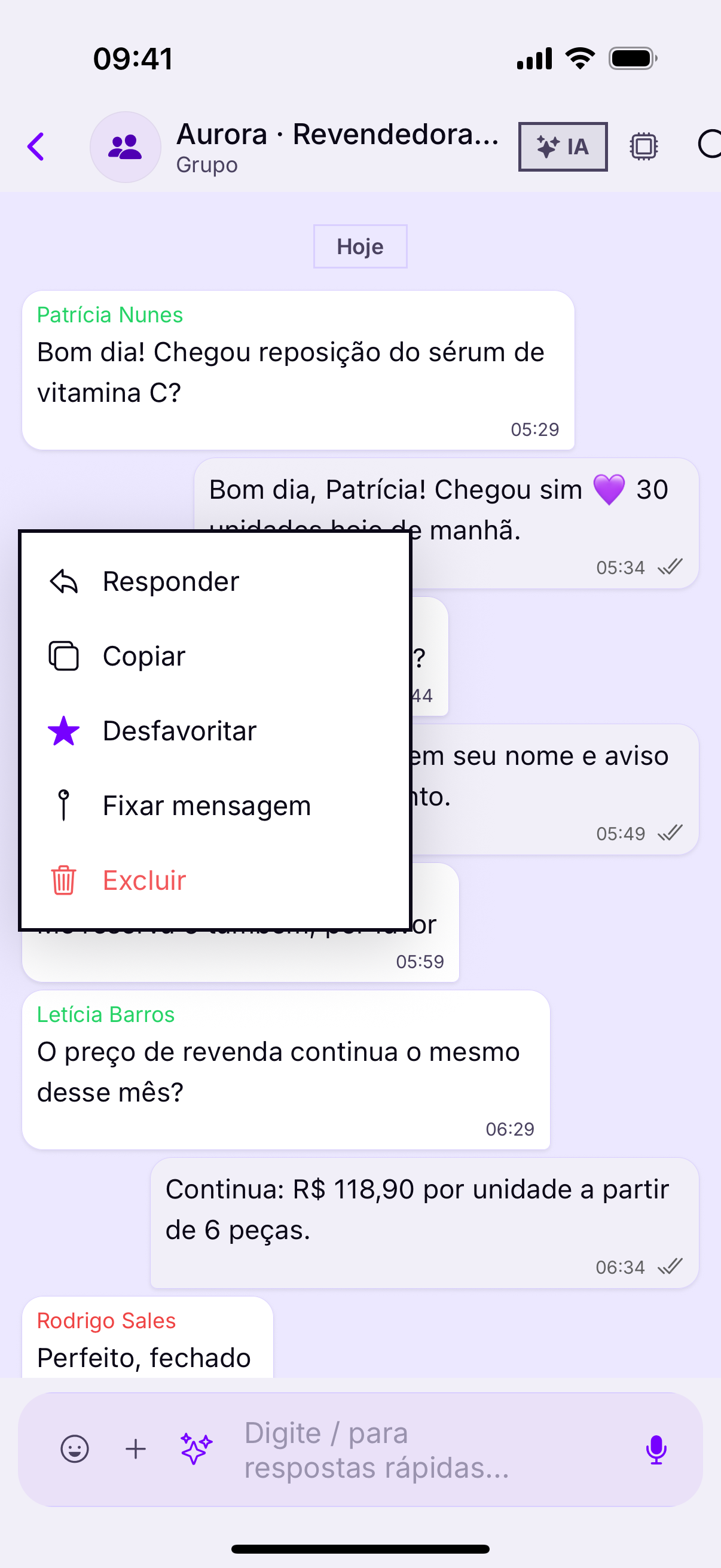
In a group, always quoteSince the reply goes to everyone, without a quote nobody knows who you answered — and two people each think it was for them. On a phone, press and hold on the message and choose Reply.
Organizing
A group takes a label, a note and an owner, like any conversation. Assigning matters even more here: three agents replying in the same group is visible to every participant.
What Heyoo does not do
- Add or remove a participant — that is in WhatsApp.
- Change the group's name, photo and description — in WhatsApp.
- Leave the group — in WhatsApp.
- Here you serve: you read, reply, label and distribute.
Groups only exist on the QR channelMeta's Official API does not deliver group messages. If your account uses only the Cloud API, the groups tab stays empty — and that is not an app failure.