Almost everything in the inbox starts with the customer writing. When you are the one going first — following up a quote, a stock alert, replying to a lead — the path is new conversation.
The three steps
- Pick the channel — the number the message goes out from.
- Pick the destination — a typed number, a contact from the base or a lead.
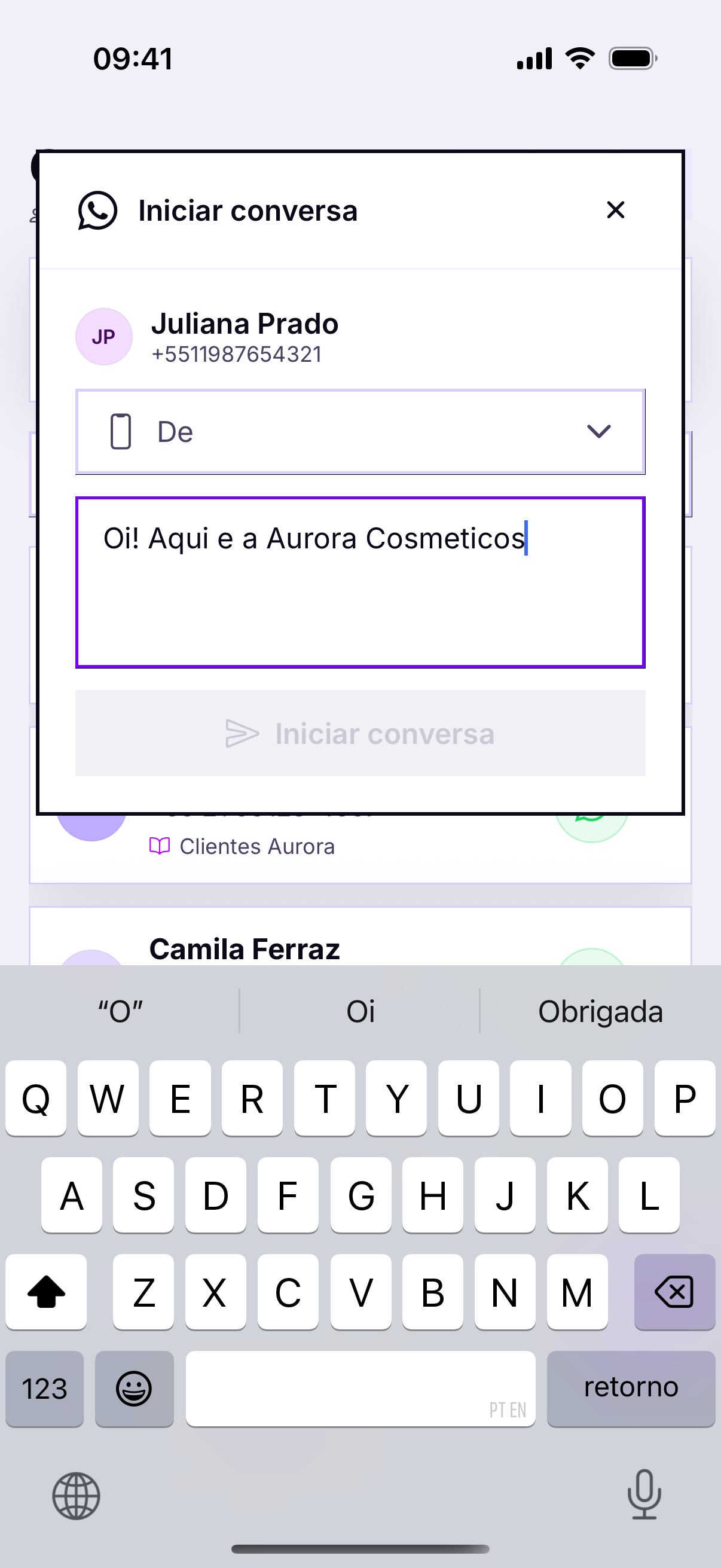
- Write the first message and send it.
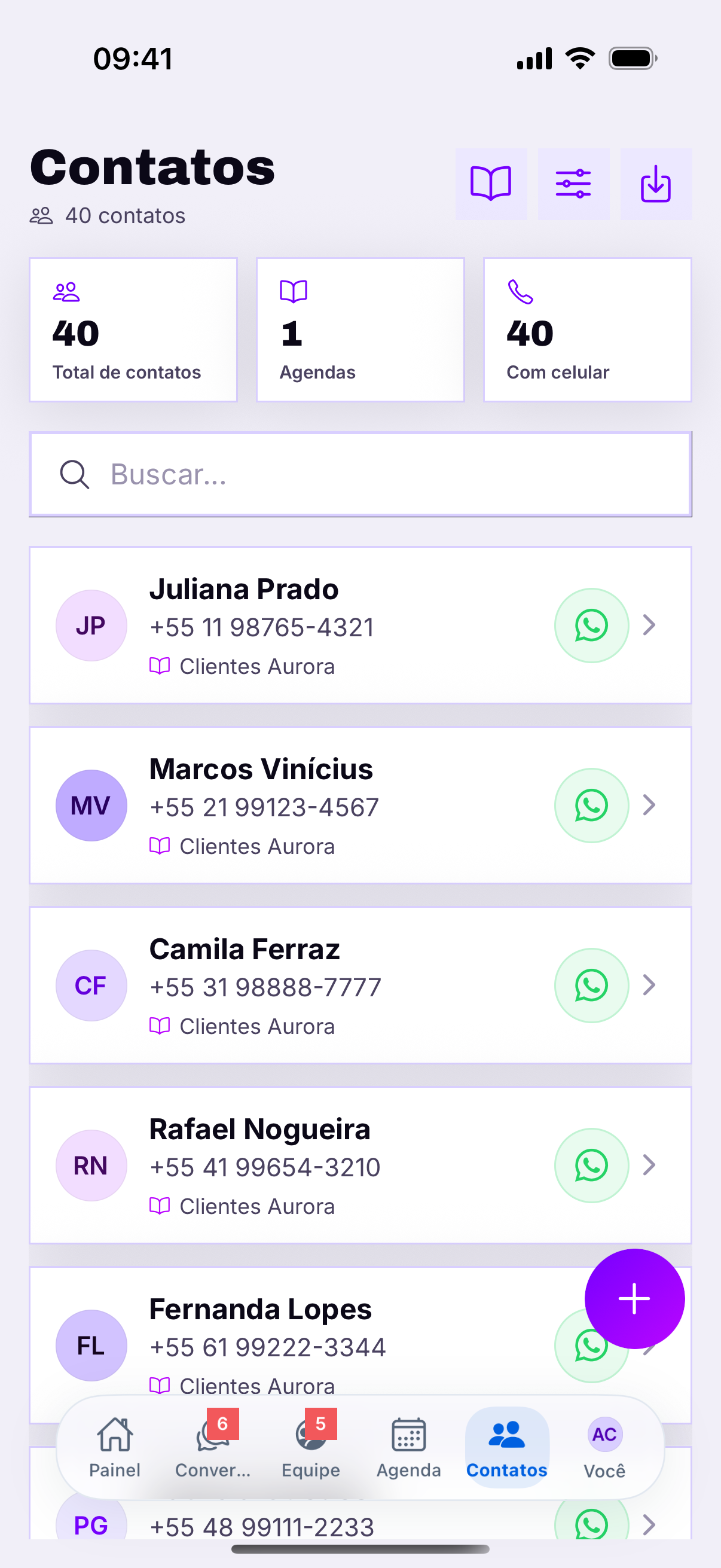
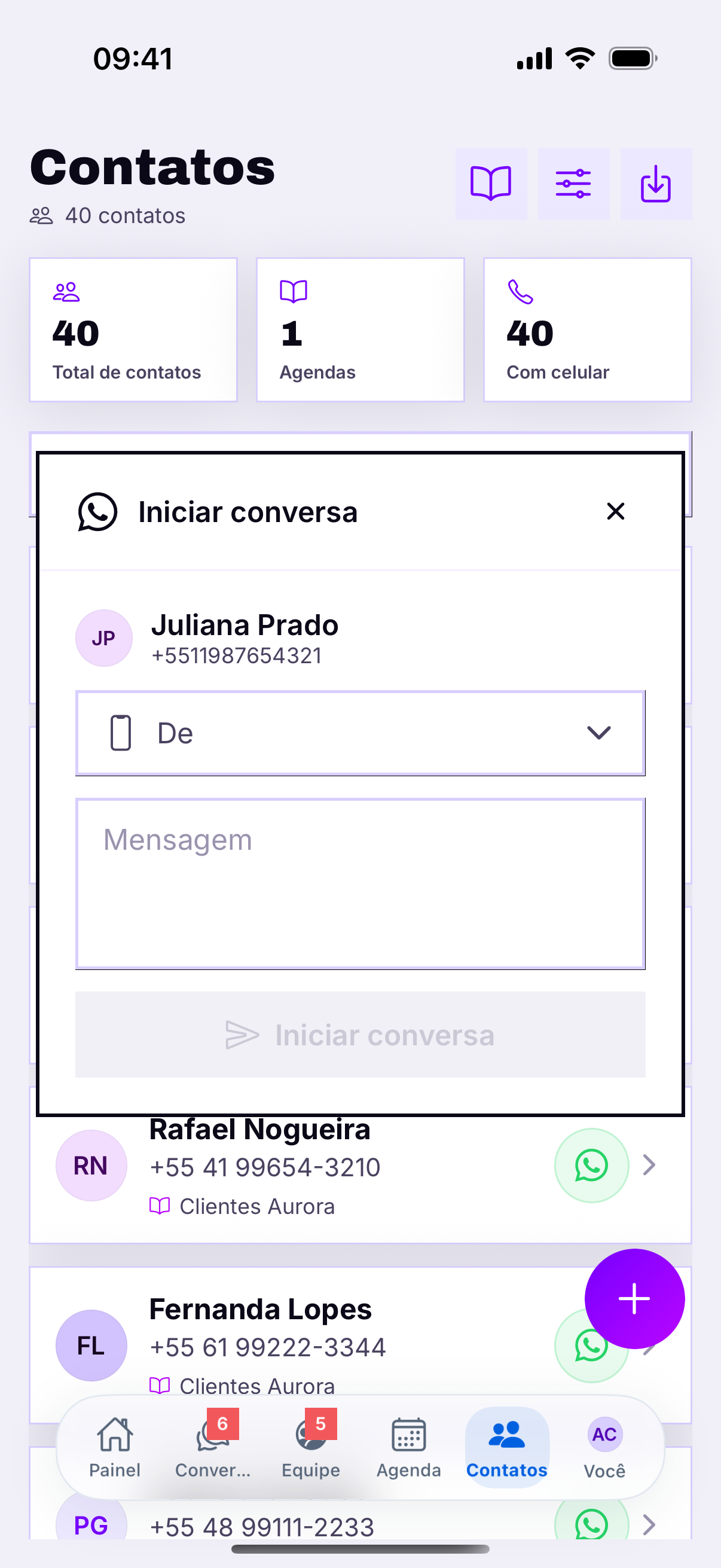
Always with the country code
5511999999999, not 11999999999. Without the country code the message fails or goes to another country — and the error shows up as could not send, without saying why.The first message
Identify yourself in the first lineWhoever receives it does not have your number saved: to them a message arrived from a stranger. Hi Fernanda! This is Aurora Cosméticos, about yesterday's quote settles the first two seconds of suspicion.
The window rule
- WhatsApp via QR — you write what you want, to whoever you want.
- Official API (Meta Cloud) — starting a conversation requires an approved template. That is Meta's rule.
- If the customer wrote within the last 24h, the window is open and free text works either way.
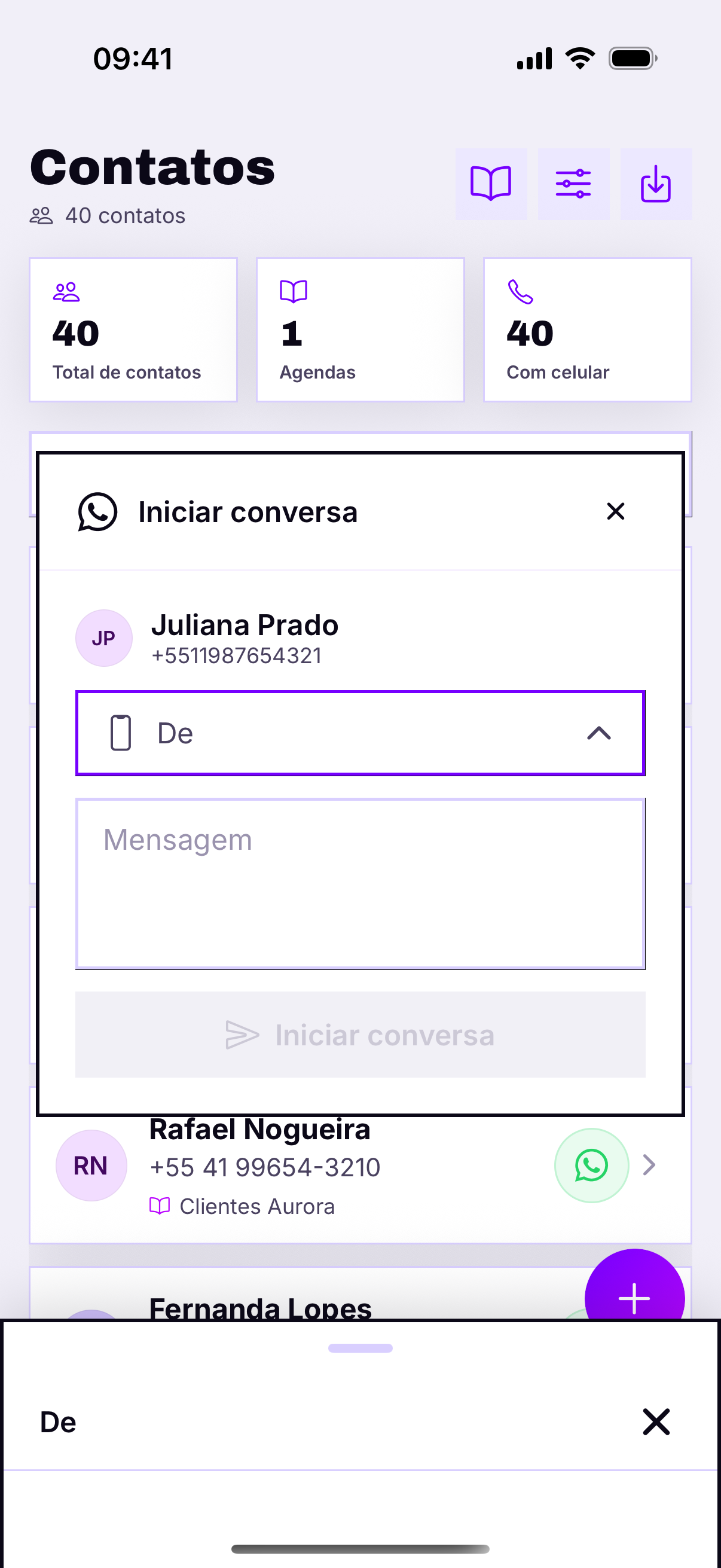
Agent permissionNot every agent can start a conversation: it is the Start new conversations switch, set by the administrator. If the button does not appear for someone on the team, that is why — not a missing feature in the app.