The Dashboard is where the app opens. It answers the question you start the day with: how is the operation right now.
The greeting and the shortcuts
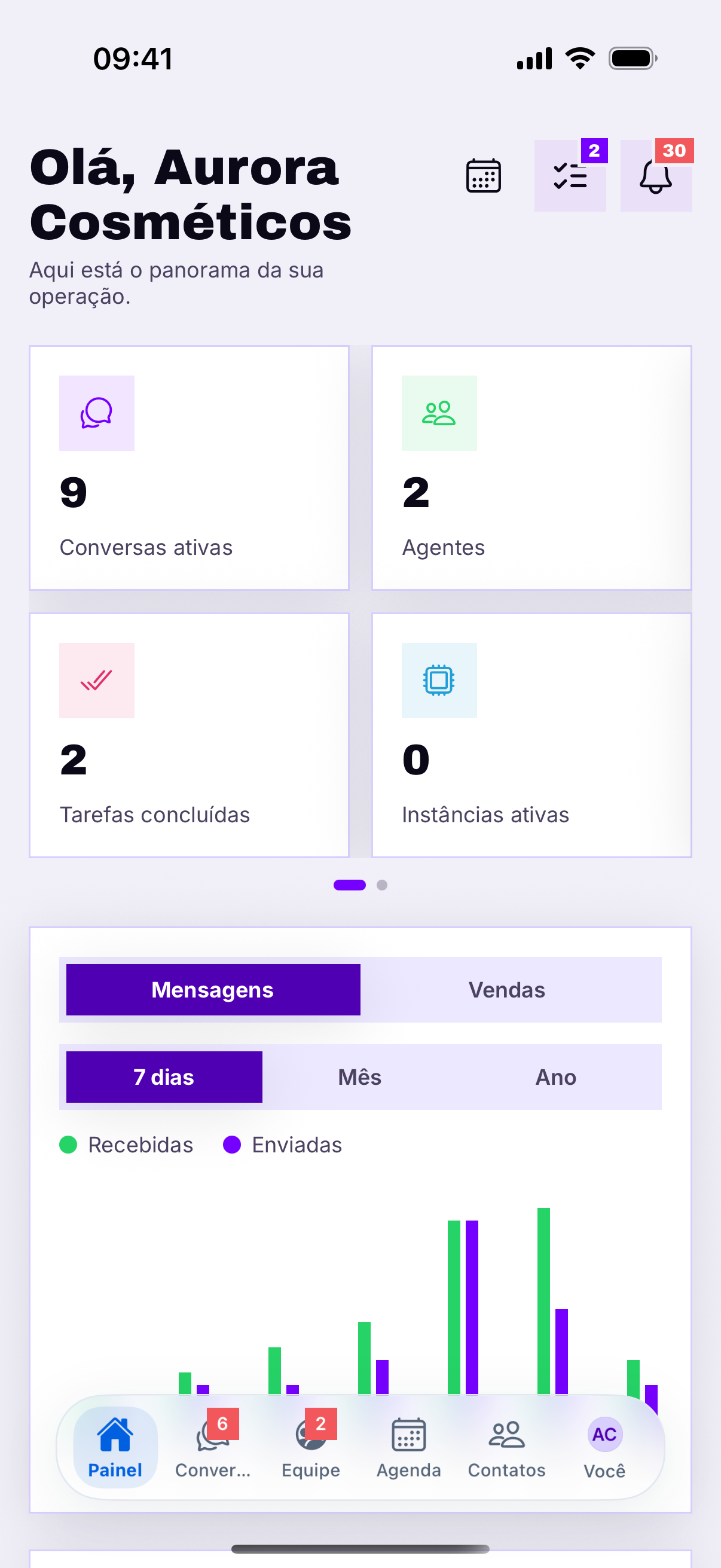
At the top sit your name and three shortcuts, in the order they usually get used.
- Calendar — the day's appointments.
- Tasks — what is left to do, with the number pending on the badge.
- Bell — what happened while you were not looking.
O selo é o que importaO número vermelho em cima do ícone é a fila que ninguém tocou. Começar o dia zerando os três selos é a rotina mais simples que existe — e a que mais evita cliente esquecido.
The red number on the icon is the queue nobody has touched. Starting the day by clearing all three badges is the simplest routine there is — and the one that prevents the most forgotten customers.
- Conversas ativas — quantas estão abertas agora.
- Agentes — quantas pessoas atendem na conta.
- Tarefas concluídas — o que a equipe fechou.
- Instâncias ativas — quantas sessões de WhatsApp estão de pé.
Every card is tappable and leads to the matching screen — the dashboard is a shortcut, not a report.
The charts
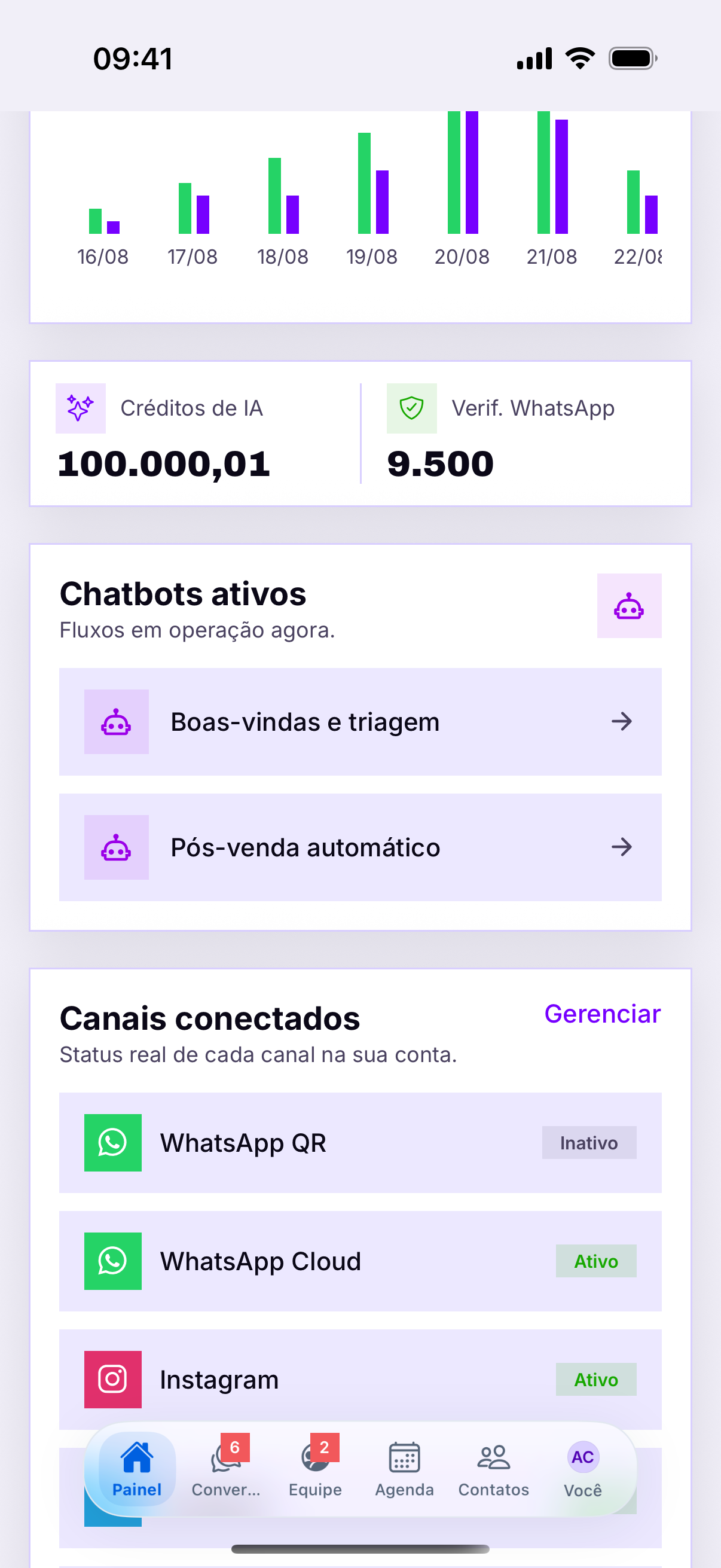
Below the cards, two selectors change what the chart shows: Messages or Sales, over 7 days, Month or Year.
- Received × sent — the ratio says whether the team is replying or only receiving.
- 7 days — shows the week's pattern, including the weekend dip.
- Month and Year — for comparing periods, not for day-to-day.
Enviadas muito abaixo de recebidasÉ o sinal de fila acumulando. Num dia isolado não quer dizer nada; três dias seguidos assim significam que a equipe não está dando conta do volume.
A barra de baixo
That is the sign of a queue building up. On an isolated day it means nothing; three days in a row means the team is not keeping up with the volume.
Aba faltando não é erroThe bottom bar