A label is how Heyoo classifies a conversation. It shows up in the Inbox list, becomes a column on the Kanban board, works as a filter and as a search term — and you create it once, for the whole account.
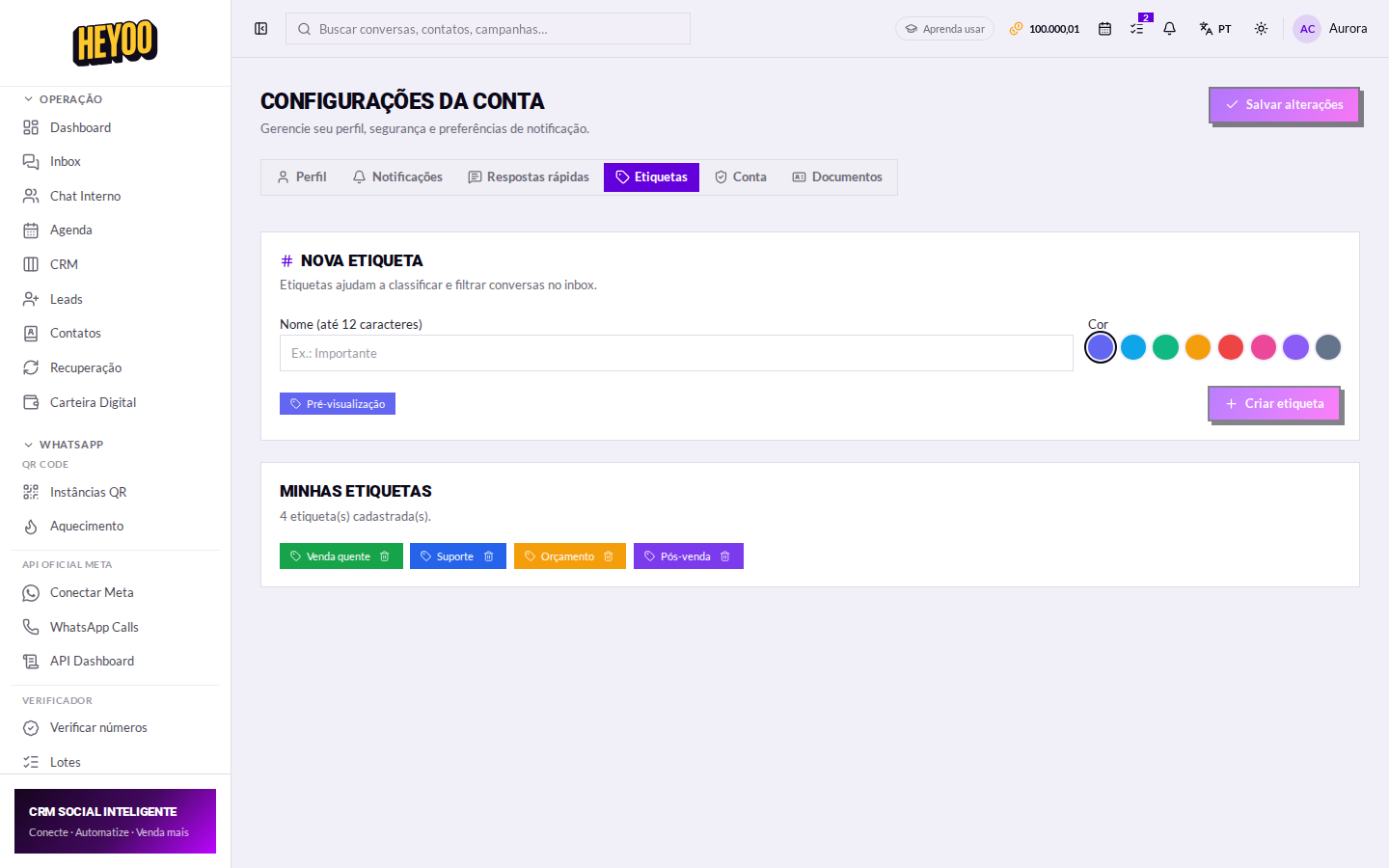
Creating a label
- Go to Account settings › Labels.
- Type the name in the field — short, the way your team actually talks.
- Pick the colour.
- Click Create label.
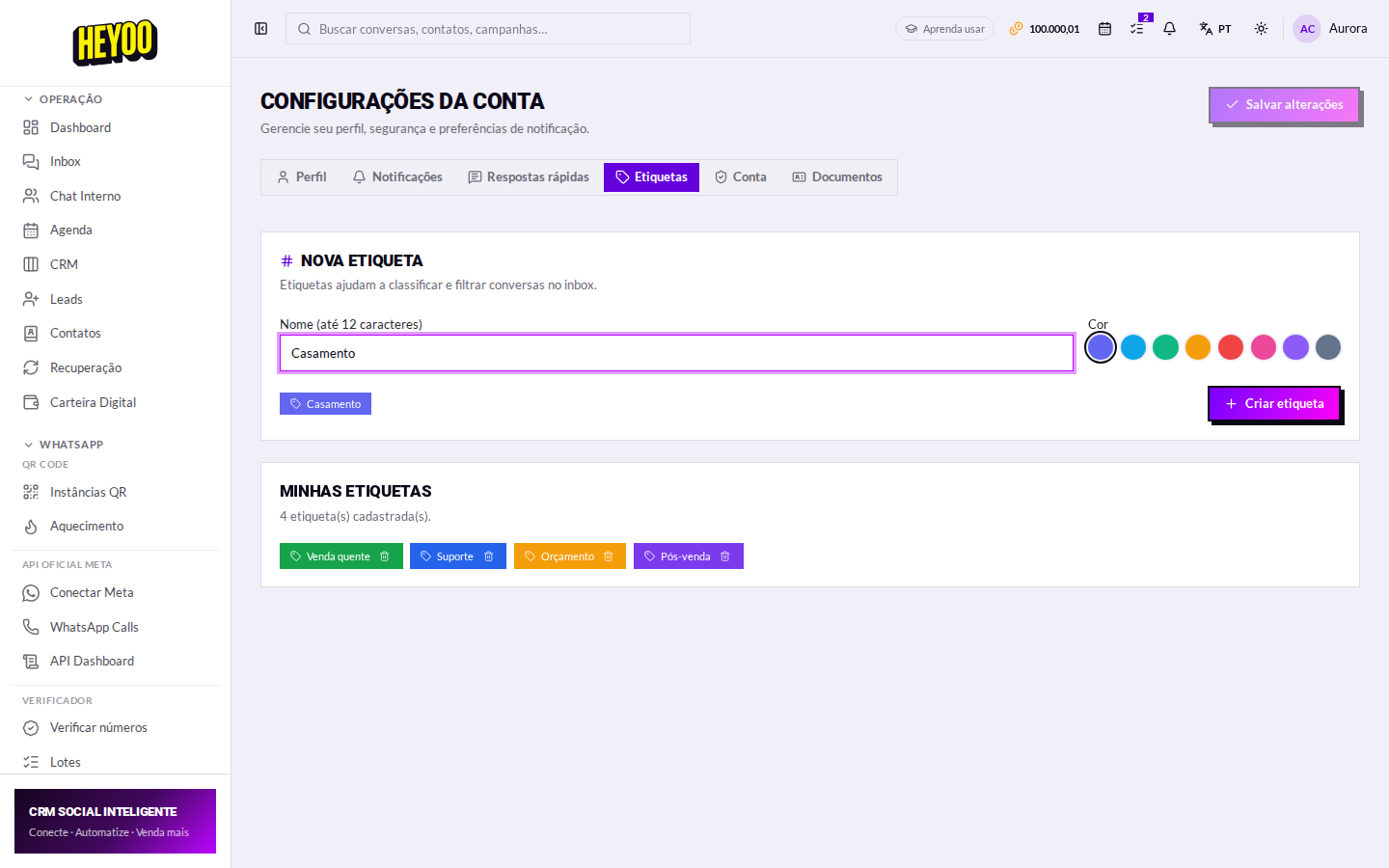
Colour with meaningSettle on a code and stick to it: green is sales, blue is support, amber is quotes, purple is after-sales. The queue starts being read by colour, without anyone reading the text.
Where the label shows up
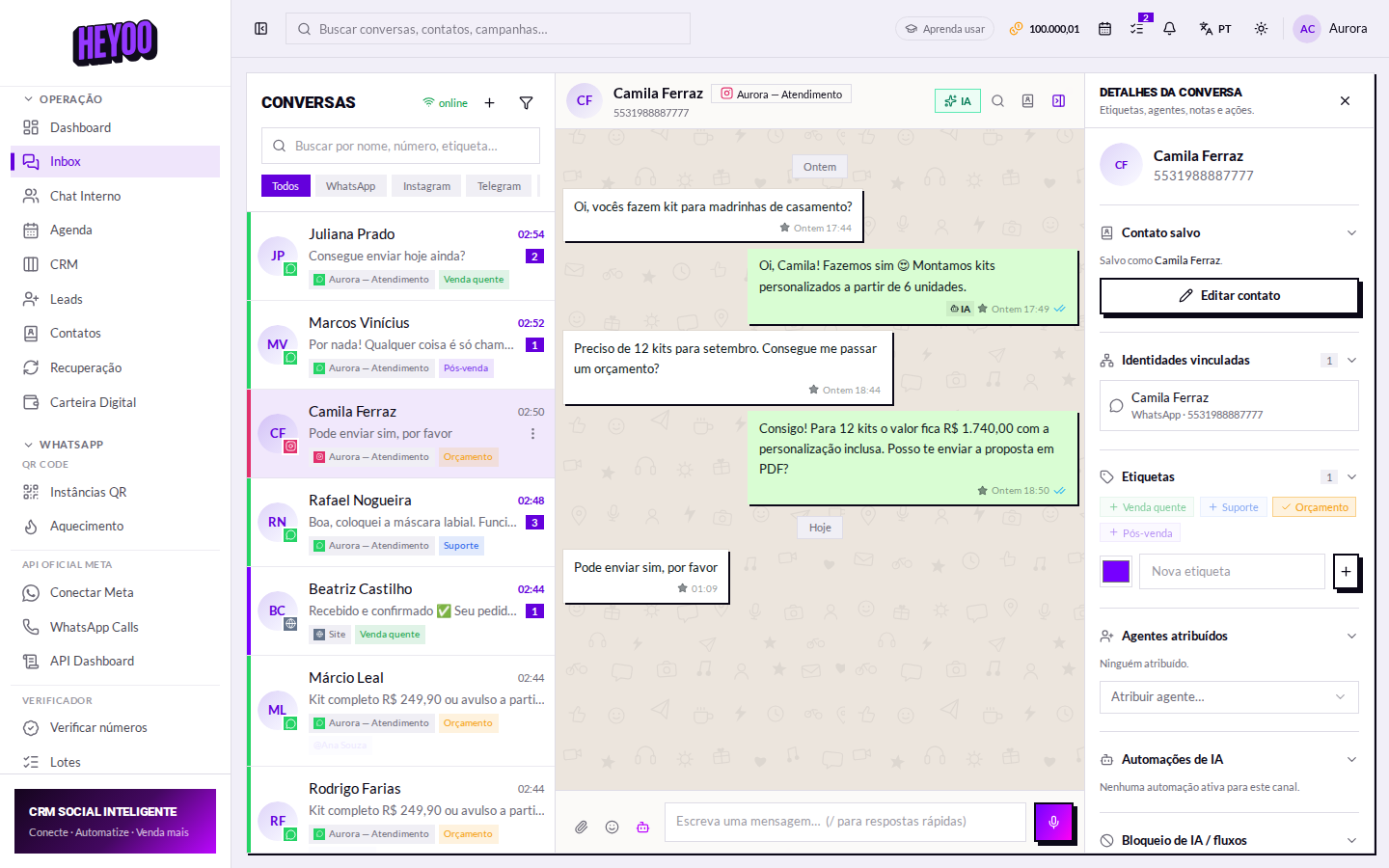
- In the conversation — on the right-hand panel, under Labels; one click applies it, another removes it.
- In the Inbox list — below the contact's name.
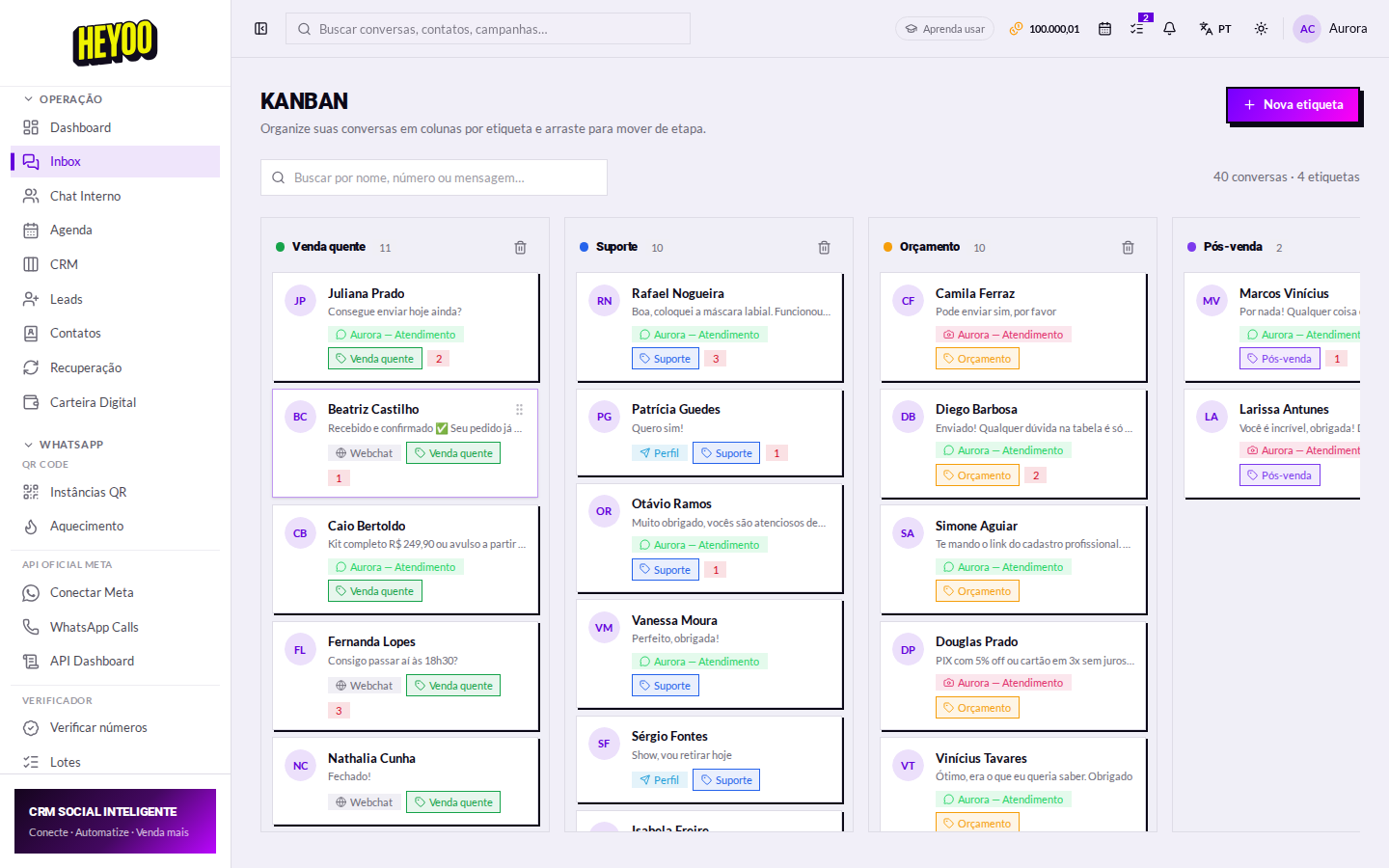
- On the Kanban board — each label is a column, and dragging the conversation swaps the label.
- In filters and search — you can look conversations up by label.
- In flows — the Apply labels block classifies the conversation automatically.
Few and clearLabels exist to separate what changes the action. Twenty similar labels turn into clutter and nobody filters by them — start with four or five.